
Find a show in the Show Manager and open it, close it when you are done, and have the Studio start on that list.
Open any show on this Mac from one list, without remembering where its folder is. A show is one file with everything the switcher needs; see Shows.
Before you start
Section titled “Before you start”- Opening a show replaces the open one. If the open show has unsaved changes, the Studio offers to save them.
- If the open show is live, with something on the program, a recording or a stream, the Studio asks first, with Cancel as the default button. Once you go on, its streams stop and its recordings finish their files. See Closing a live show.
- A show made on another Mac is on the list once you open it here, or add it with Actions › Add Existing….
Step 1: Open the Show Manager
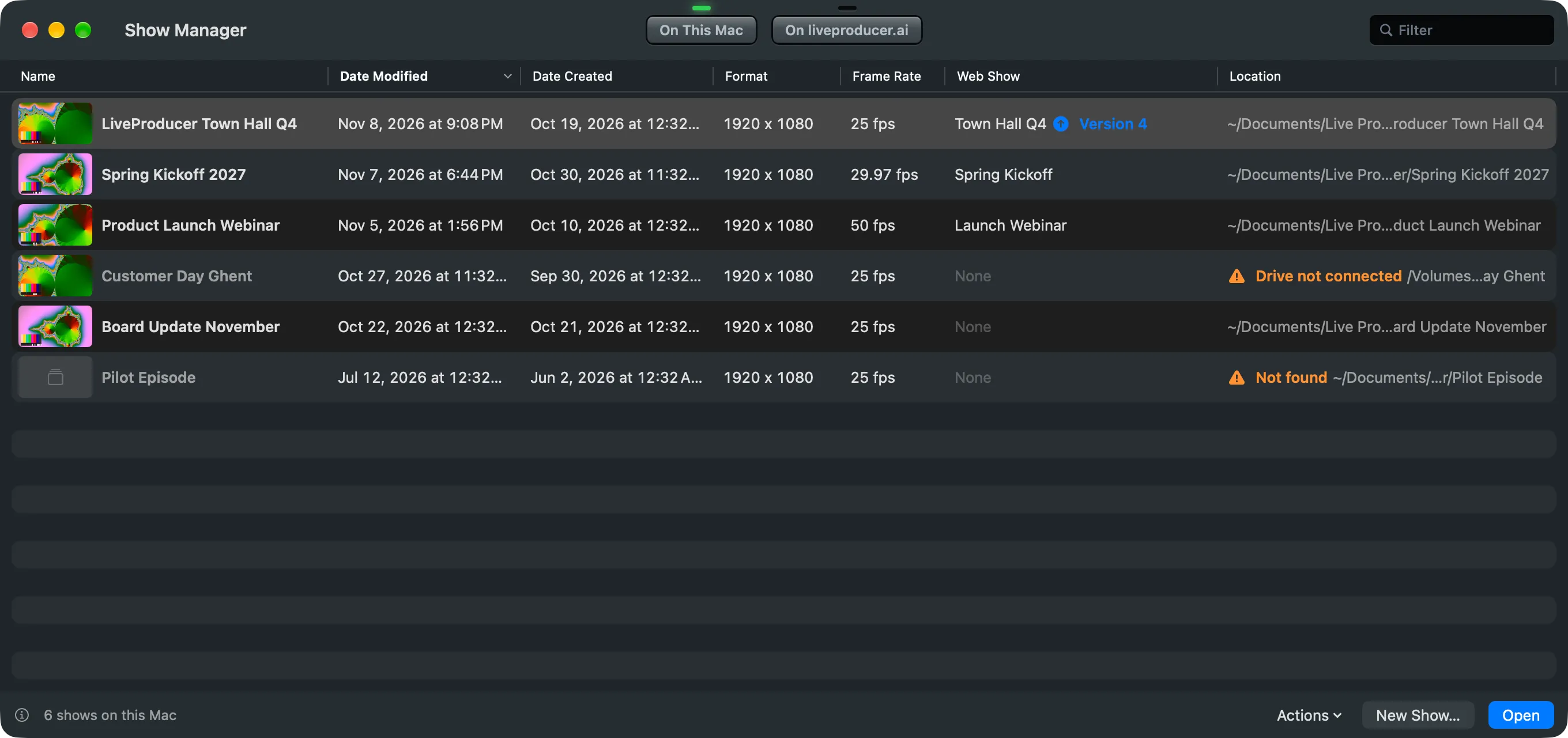
Section titled “Step 1: Open the Show Manager”Choose File › Open… (⌘O). The Show Manager comes forward on On This Mac. File › Show Manager (⇧⌘O) brings it forward on the tab it was on.
Step 2: Find the show
Section titled “Step 2: Find the show”Type part of its name in Filter, or click a column’s title to sort by it: Date Modified puts the last show you worked on at the top.
A show file that is not on the list: choose Actions › Open Other… at the window’s foot and pick it.
Step 3: Open it
Section titled “Step 3: Open it”Double-click the show, or select it and click Open or press Return. The Show Manager closes and the show opens in the main window.
A show the Studio cannot find says Drive not connected or Not found under Location. Connect its drive, or right-click it and choose Locate… to point at where it is now.
Step 4: Close it when you are done (optional)
Section titled “Step 4: Close it when you are done (optional)”Choose File › Close Show (⇧⌘W), or close the main window. The show closes, after the same questions as in Before you start, and the Show Manager comes back for the next one. To quit from there, close the Show Manager and click Quit in Quit Live Producer?.
Step 5: Start the Studio on this list (optional)
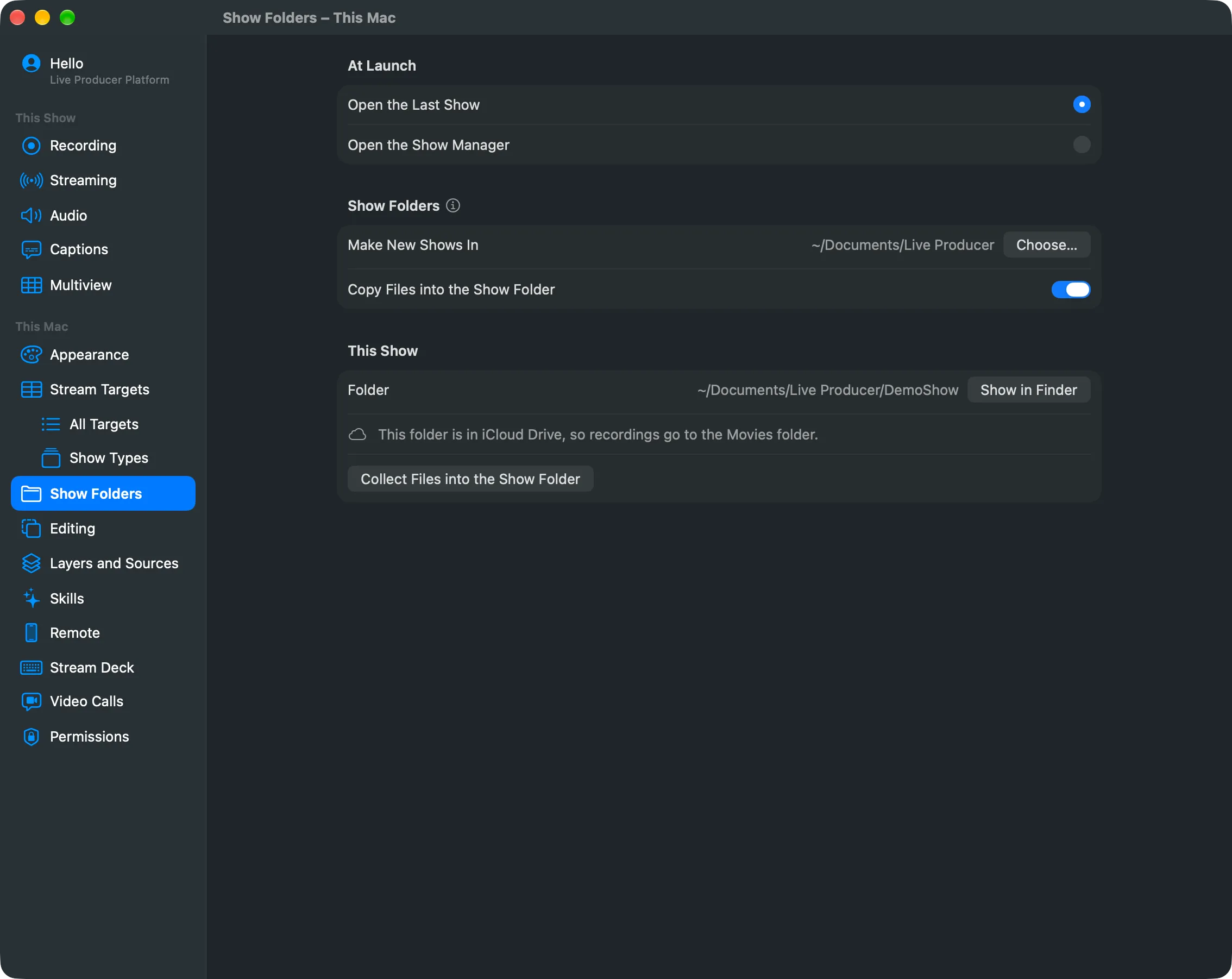
Section titled “Step 5: Start the Studio on this list (optional)”In Settings › This Mac › Show Folders, set At Launch to Open the Show Manager. The Studio then starts on the Show Manager instead of the last show. Open the Last Show brings back the last show as you left it.
Verify
Section titled “Verify”The main window’s title is the show’s name, and in the Show Manager the show has Open beside its name.
Related
Section titled “Related”Describes Live Producer 0.330 · 10 November 2026