
Still images and slides as sources; the slides show the page the operator turned to.
The Images group of the sidebar holds still pictures and slides. An image always shows the same picture. Slides show one page at a time: the page the operator turned to.
Images
Section titled “Images”An image is a PNG, JPEG or other picture file, added with Add Source › Image…. Use it for a logo, a background or a full-screen still. It is placed like any other source: position, size, scaling and effects belong to the shot.
Slides
Section titled “Slides”Slides are the show’s slide deck, added with Add Source › Slides…. They are one of two things:
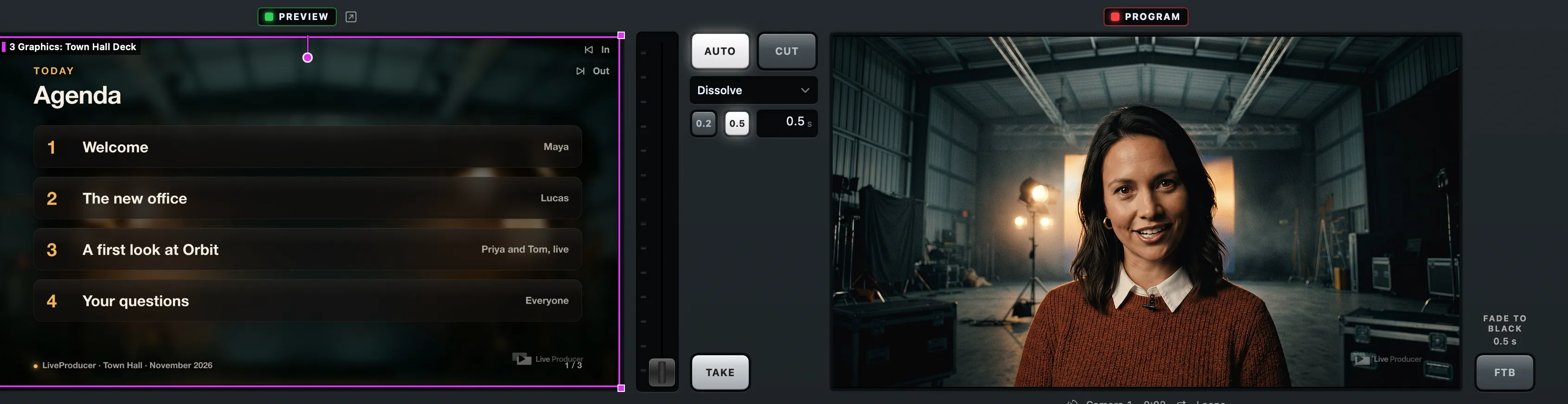
- a PDF, one page per slide;
- a folder of images, one per page, in the order of their names.
A PDF is copied into the show folder like other files. A folder of images stays where it is on this Mac.
Turning the pages
Section titled “Turning the pages”The pages are turned one click at a time with Script › Slides One Click On (⌃⌘]) and Slides One Click Back (⌃⌘[), the slide keys on the Stream Deck, or the ‹ › arrows on the phone remote. The script’s slide marks say where each slide comes.
A page change is content, not a switch: the shot with the slides stays live, and only its picture changes, as a clip changes while it plays. See Slides.
Builds
Section titled “Builds”A slide with builds can be exported two ways: one page per slide, or one page per build. Say which with Pages Include Builds in the inspector’s Slides section. On, each build is a page of its own. Off, a build is shown and skipped.
The Slides stand-in
Section titled “The Slides stand-in”A show made from a script can carry a Slides stand-in before the slides are there. Linking it to them makes the slide shots show their pages. See Stand-ins.
Read more
Section titled “Read more”Describes Live Producer 0.330 · 10 November 2026