
Live Producer's own noise suppression for a voice: what it takes away, what it cannot, Light and Strong, Room Tone and Quiet Between Words.
Clean Voice takes the noise out from around a voice, live: a passing car, a rustling jacket, a door, a keyboard, the hiss of a cheap microphone. The voice stays; what is not voice is turned down. It is a step of a source’s processing, and it runs on this Mac, with nothing sent anywhere.
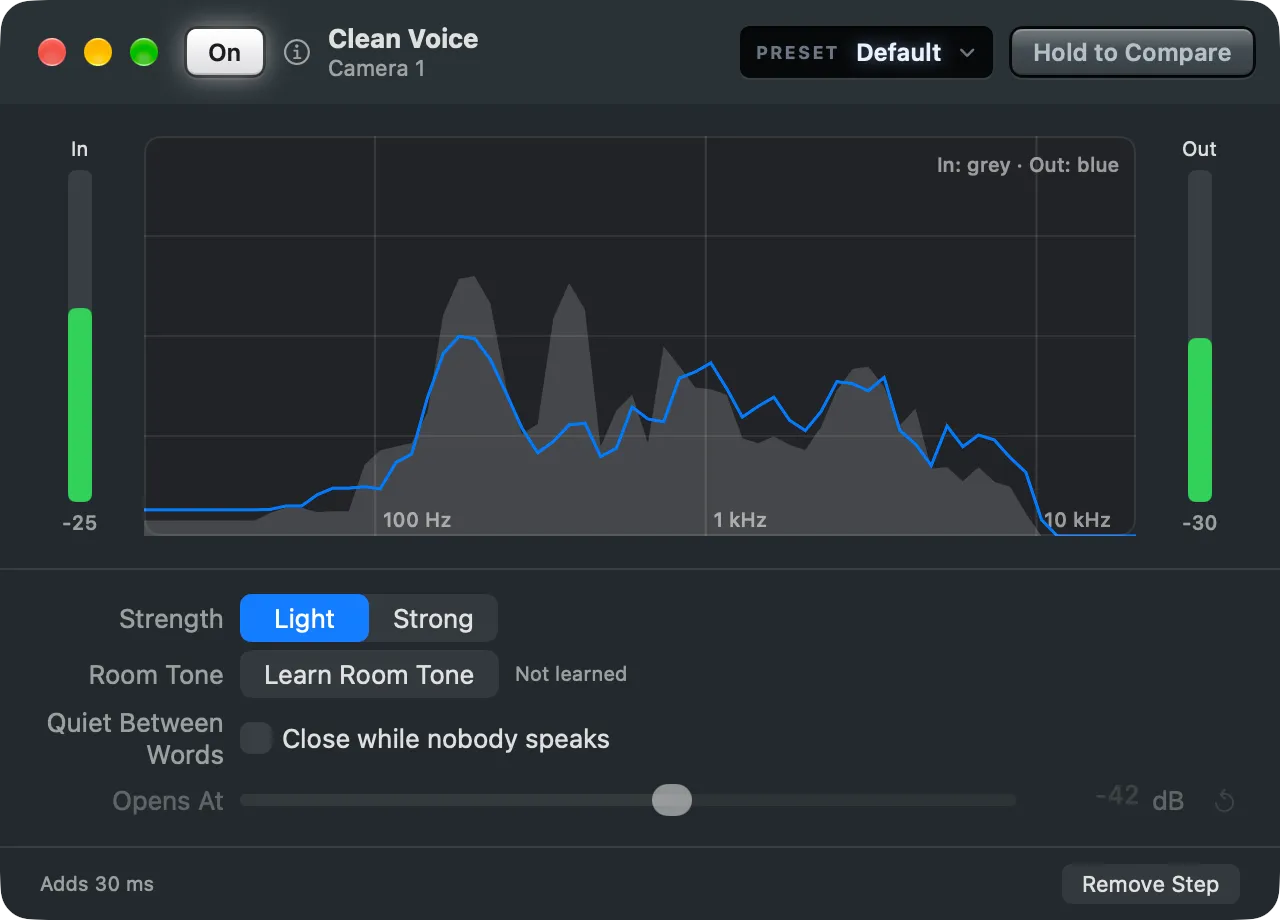
What it takes away
Section titled “What it takes away”Clean Voice is at its best on sudden noises between and under the words: a cough in the room, a chair, a phone, a laptop’s keys. On a steady noise, such as a fan, it takes the most away in the first second and settles to about 6 dB after a few seconds, as it comes to hear the fan as part of the room. Switch the fan off if you can.
It adds 30 ms of delay. See Processing.
What it cannot do
Section titled “What it cannot do”- A hum from a ground loop. Clean Voice turns it down while someone speaks, but it is still there. An isolator or another power socket takes it away.
- A room’s echo. The voice and its echo are both voice. Add Room Reduction.
- A voice that clips. Sound that was too loud at the input stays broken. Turn the gain down at the microphone or the interface.
- Cleaning that was done before. A guest’s browser and a call app clean the sound themselves; cleaning twice thins a voice. Remote guests get Light, and a call app’s own noise suppression is best off.
Strength
Section titled “Strength”| Strength | Takes away |
|---|---|
| Light | at most 12 dB: the noise is lower, the voice stays natural |
| Strong | as much as it can, for a noisy room |
Room Tone
Section titled “Room Tone”Learn Room Tone listens 5 seconds to the room while nobody speaks. It keeps the room’s level and its sound, drawn dashed in the window’s graph, and sets Opens At 6 dB above that level. The window says when it was learned, or Not learned. With a venue in use, the venue keeps the level too.
Quiet Between Words
Section titled “Quiet Between Words”Quiet Between Words (Close while nobody speaks) turns the sound down a further 20 dB whenever it falls under Opens At (−70 to −20 dB), so the room is silent between sentences. It suits a lav in a quiet room. Set Opens At low enough that the start of a soft word is not cut.
Its presets
Section titled “Its presets”The window’s Preset menu has Default (Light), Lav Mic (Light, with Quiet Between Words at −45 dB) and Noisy Room (Strong).
Hold to Compare
Section titled “Hold to Compare”Hold Hold to Compare in the window’s toolbar to hear the source without Clean Voice, at the same delay, and let go to hear it back. Nothing changes in the show.
Read more
Section titled “Read more”Describes Live Producer 0.330 · 10 November 2026