
Connect the Studio to the show's room, admit a guest from the Green Room and put their slot on the program.
Take a guest from the Green Room into their slot, then on air with a Take. See Remote guests.
Before you start
Section titled “Before you start”- The show is connected to its web show (Connect to Web Show…), and the Studio is signed in to the company.
- The show has a shot with the guest’s slot in it. A slot is a source in the Guests group; add one with Add Source › Guest Slot if the web show has none.
Step 1: Open the Remote Guests window
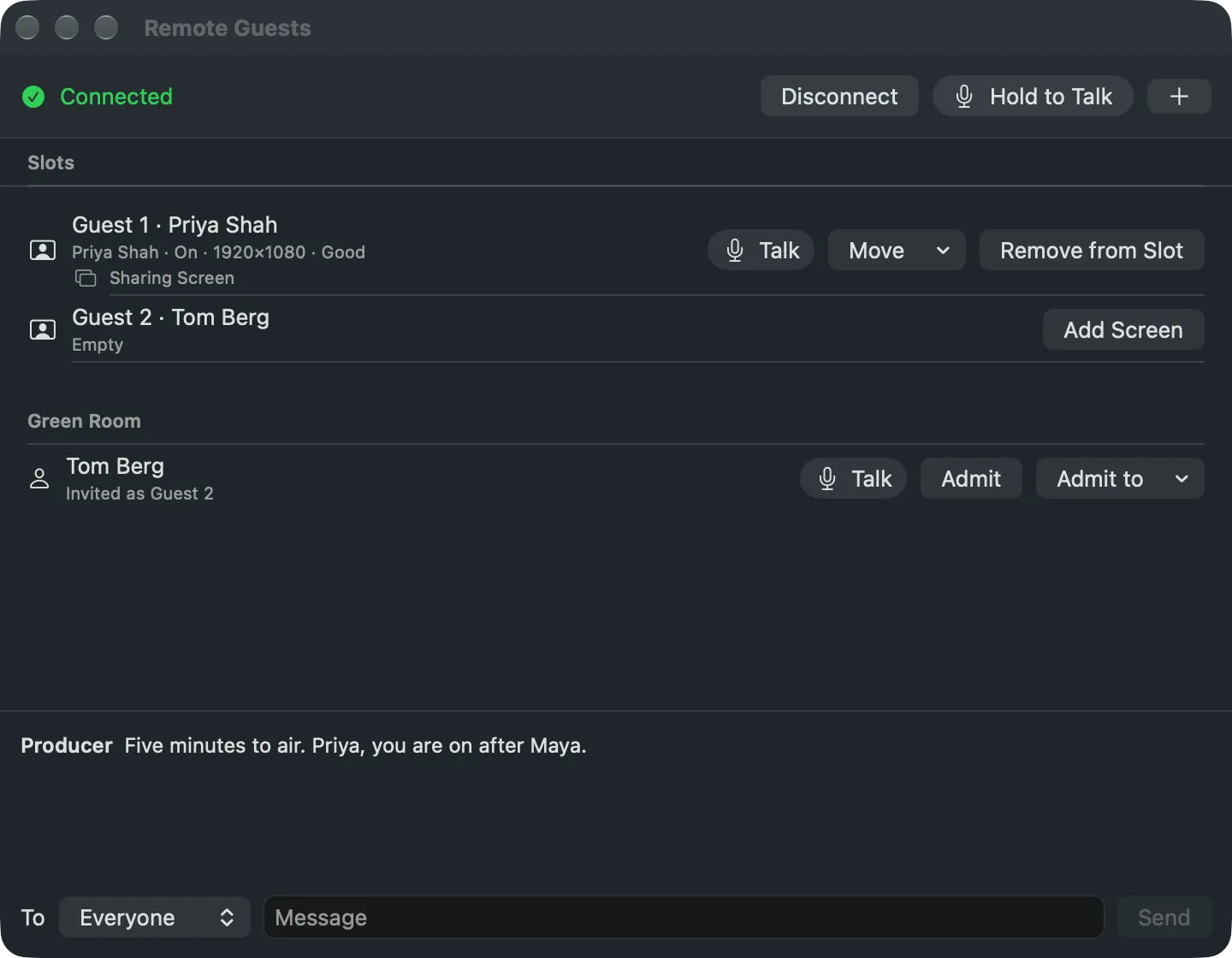
Section titled “Step 1: Open the Remote Guests window”Choose Window › Remote Guests (⌥⌘G) and click Connect. The Studio joins the show’s room and brings in the web show’s slots. The window lists the Slots and the Green Room.
Step 2: Admit the guest
Section titled “Step 2: Admit the guest”When the guest arrives they appear in the Green Room. Click Admit to put them in the slot their link is for, or Admit to to choose another. The slot now shows their camera, and their page says You’re on the show.
If the slot is on the program already, the Studio asks first, because the guest would appear on air with no Take.
Step 3: Put the slot on air
Section titled “Step 3: Put the slot on air”Click the guest’s shot and Take, as with any shot. Their page shows On Air.
Step 4: Move or remove
Section titled “Step 4: Move or remove”- Move puts the guest in another slot; whoever was there goes back to the Green Room.
- Remove from Slot sends them back to the Green Room; the slot shows its slate again.
These act at once and are never undone, like every live action.
Verify
Section titled “Verify”The slot’s row reads the guest’s name and On with their picture size and connection. The multiview and the shot’s tile show their camera.
Related
Section titled “Related”Describes Live Producer 0.330 · 10 November 2026