
Prepare a guest before the show: give them a slot and send them their link, so they only have to open it on the day. See Remote guests.
Before you start
Section titled “Before you start”- The show exists on the platform, and you are its showrunner or an admin of the company. A contributor sees who the guests are, never their links.
- You know the guest’s name, and their email address if the platform should mail the invite.
Step 1: Add a guest slot
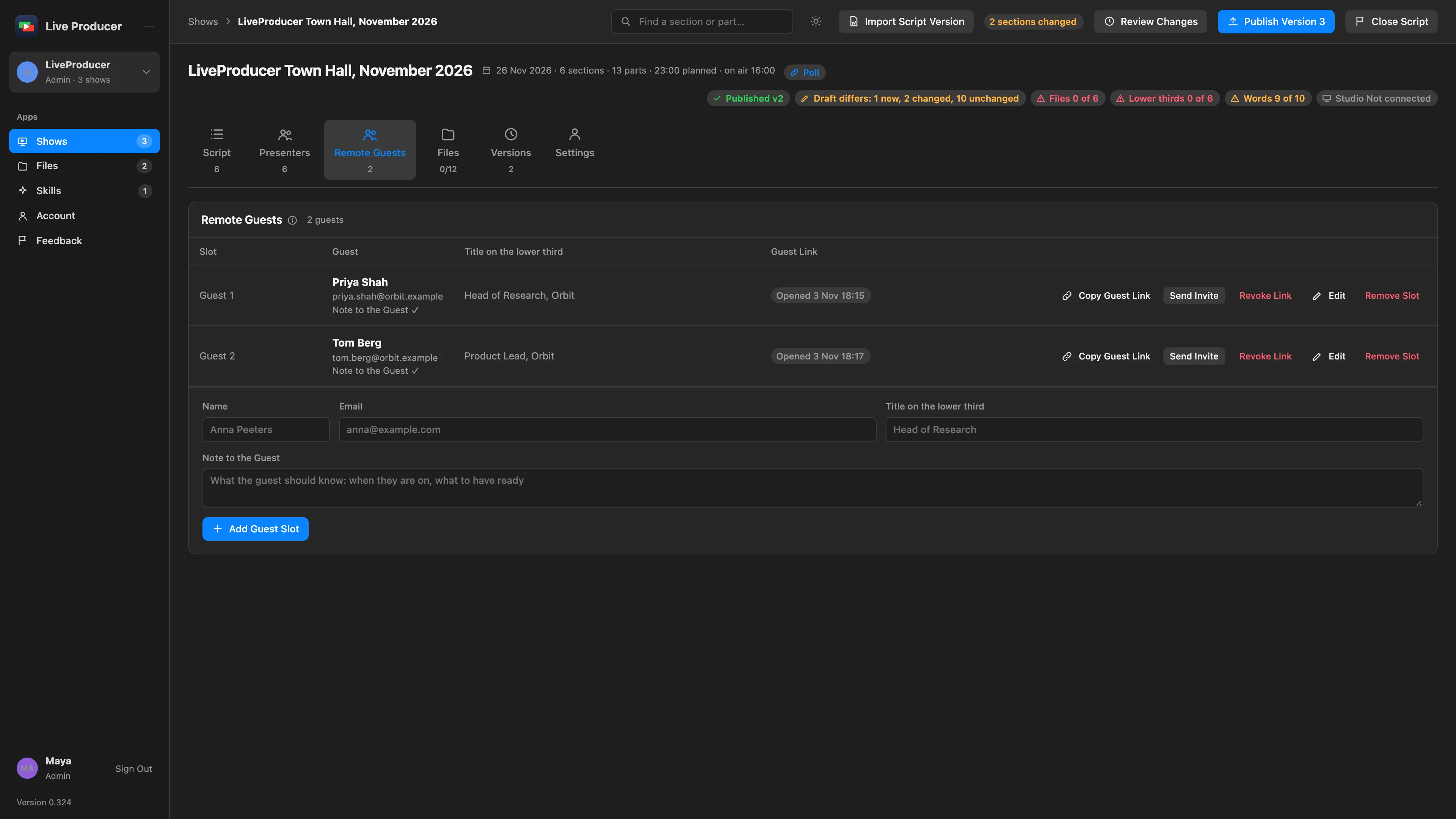
Section titled “Step 1: Add a guest slot”Open the show and its Remote Guests tab. Fill in the form under the slots and click Add Guest Slot:
| Field | What it is for |
|---|---|
| Name | the guest’s name, shown on their slot and their page |
| where Send Invite mails the link; leave it empty to send it yourself | |
| Title on the lower third | the guest’s role, for their lower third in the Studio |
| Note to the Guest | what they need to know: when to be ready, headphones, what to have at hand |
The slot takes the lowest free number: Guest 1, Guest 2, and so on.
Step 2: Let Spelvin draft the note
Section titled “Step 2: Let Spelvin draft the note”To change a slot later, click Edit. There, Draft with Spelvin proposes a note from the show and the script; it fills the field and saves nothing until you do.
Step 3: Send the link
Section titled “Step 3: Send the link”Click Send Invite to mail the link and the note, or Copy Guest Link to send it in your own message. The slot’s state follows the link: Not Sent, Sent with the day, Opened when the guest has opened it, In the Room while they are connected, Revoked.
Verify
Section titled “Verify”The slot shows Sent with the day. Open the link yourself in a private window: it greets the guest by name with Check Camera and Microphone.
Related
Section titled “Related”- Bring a guest on
- Join a show as a guest, to forward to your guest
- Revoke Link stops a link at once; Make New Link gives the slot a new one.
Describes Live Producer 0.330 · 10 November 2026