
The place a show happens, kept across shows: how long its room rings, how loud it is, and the steps you kept there.
A venue is a place you make shows in more than once: the church on Sunday, the company’s town hall, a studio. The second show there should not start from scratch. A venue keeps what the Studio heard of the room and the steps you settled on, so the next show in the same place starts from them.
What a venue keeps
Section titled “What a venue keeps”- its name;
- how long its room rings, from Listen to the Room;
- how loud it is when nobody speaks, from Learn Room Tone;
- the steps kept there, per source name, with Remember Steps for This Venue.
The venues are yours, not the show’s: every show can use them. A show points at one venue, or at none.
What the next show gets
Section titled “What the next show gets”- Start From offers As at with the venue’s name first, for a source whose steps the venue kept.
- A Room Reduction added in the show starts from the venue’s room.
- Listen to the Room and Learn Room Tone write into the venue as well.
- Tune Audio tells Spelvin the room and what you kept, so its proposal starts from them. See Tune the audio with Spelvin.
The Venue menu
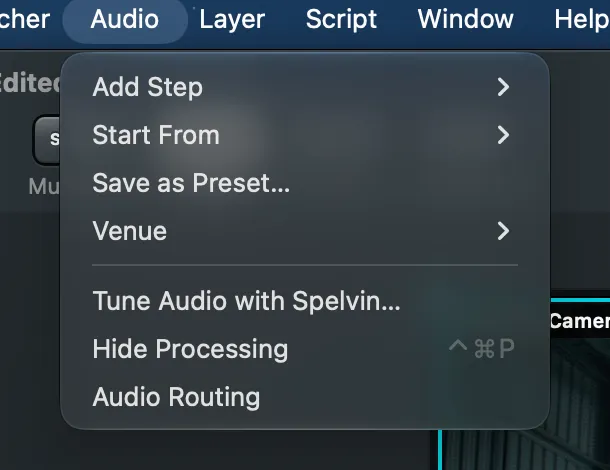
Section titled “The Venue menu”In the Audio Routing window’s toolbar (Venue, with the venue’s name or No Venue) and under Audio › Venue:
| Item | Does |
|---|---|
| a venue, or No Venue | the show uses that venue; undone with ⌘Z |
| New Venue… | a venue with a name; a room this show’s Room Reduction already heard comes with it |
| Remember Steps for This Venue | the next show here starts from every source’s steps as they are now |
| Rename Venue… | a new name for the show’s venue |
| Delete Venue | removes a venue; shows that used it keep their own steps |
Read more
Section titled “Read more”Describes Live Producer 0.330 · 10 November 2026