
Let the Mac listen to every source and Spelvin propose steps for each, then apply the ones you want.
Get a starting point for every source at once, with a reason for each, before the show. The Mac listens; Spelvin reads what it heard and proposes Live Producer’s own steps. Nothing changes until you apply it. See Processing.
Before you start
Section titled “Before you start”- Sign in, with Spelvin in your plan. A Tune Audio costs one action; a try that fails costs nothing. See Actions and limits.
- Have the presenters speak as they will in the show, at their places, with their microphones.
- For a place you return to, choose its venue first: Spelvin then starts from the room and the steps kept there.
Step 1: Start Tune Audio
Section titled “Step 1: Start Tune Audio”In Window › Audio Routing (⌥⌘A), click Tune Audio… in the toolbar, or choose Audio › Tune Audio with Spelvin….
Step 2: Let the Mac listen
Section titled “Step 2: Let the Mac listen”The sheet listens to every source with sound for 4 seconds, all at once. The sound never leaves the Mac: Spelvin gets numbers for each source, such as how loud the room is under the voice, how much the voice swings, a hum and whether it is at 50 or 60 Hz, rumble, hiss and clipping, the steps it has now, and whether a bus is playing to the PA.
Step 3: Read the proposal
Section titled “Step 3: Read the proposal”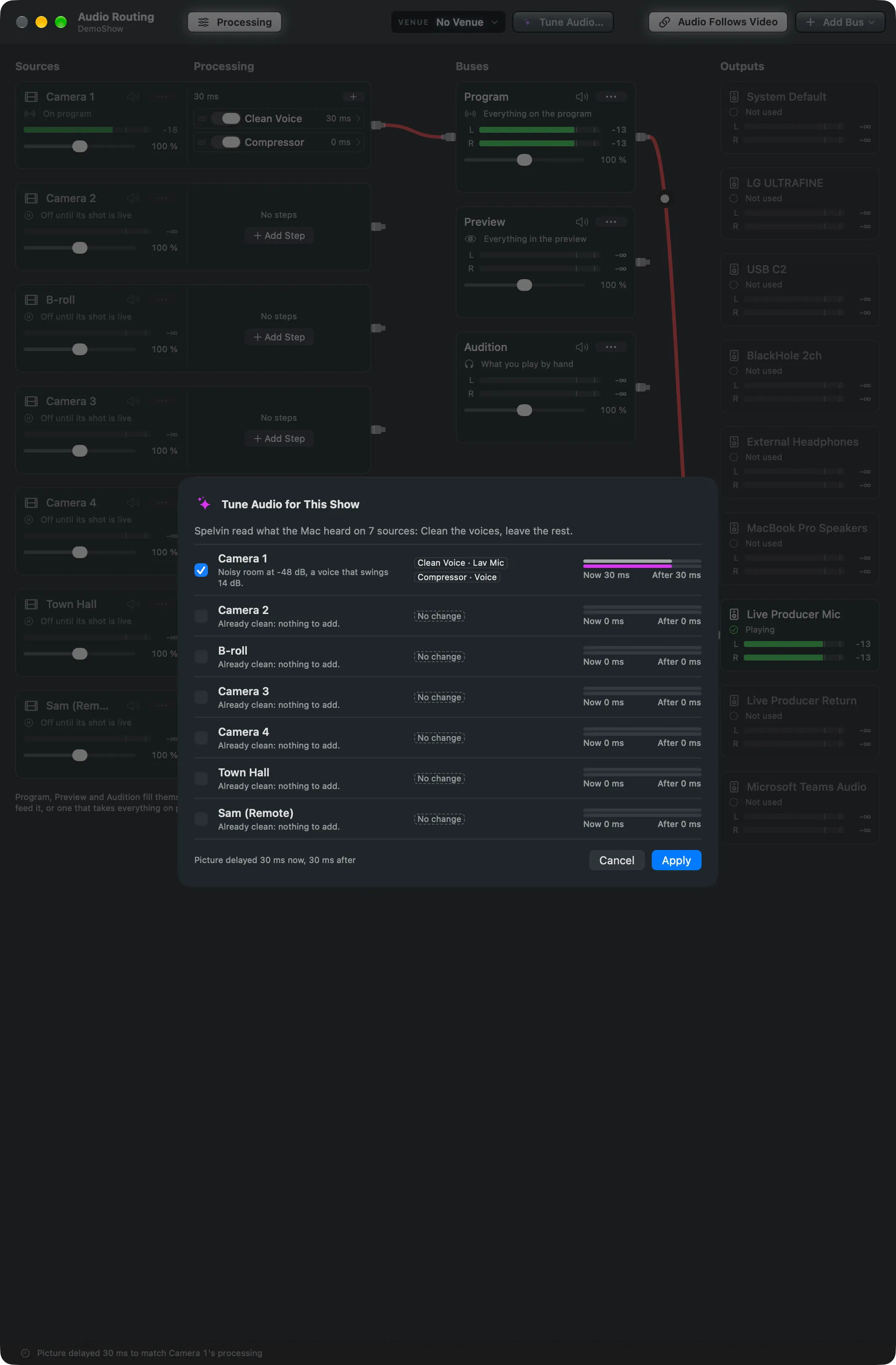
Each source has a row: its tick, Spelvin’s reason, the steps with the preset each starts from (such as Clean Voice · Lav Mic), or No change, and its delay now and after. The foot says the picture’s delay now and after.
Spelvin names the cause when a step will not fix it. A hum at 50 or 60 Hz gets the Equalizer’s low cut and a note that it is likely a ground loop, which an isolator or another power socket takes away. Clipping gets a word about the gain.
Step 4: Apply
Section titled “Step 4: Apply”Untick the sources to leave as they are, then click Apply. The ticked sources’ steps are replaced, as one undo (⌘Z). Cancel changes nothing.
Verify
Section titled “Verify”- The applied sources show the proposed steps in their processing half.
- Hold to Compare in a step’s window lets you hear each change.
Related
Section titled “Related”Describes Live Producer 0.330 · 10 November 2026