
The Mac app: the switcher, its windows and settings, shows, layers and shots, transitions, layer setups and the editing canvas.
Live Producer Studio is the switcher on the Mac. It runs the show: it shows your sources, lets you place them in shots on layers, and takes them to the program with a transition. Linked to a show on the Live Producer Platform it follows the web show; without an account it is the switcher alone.
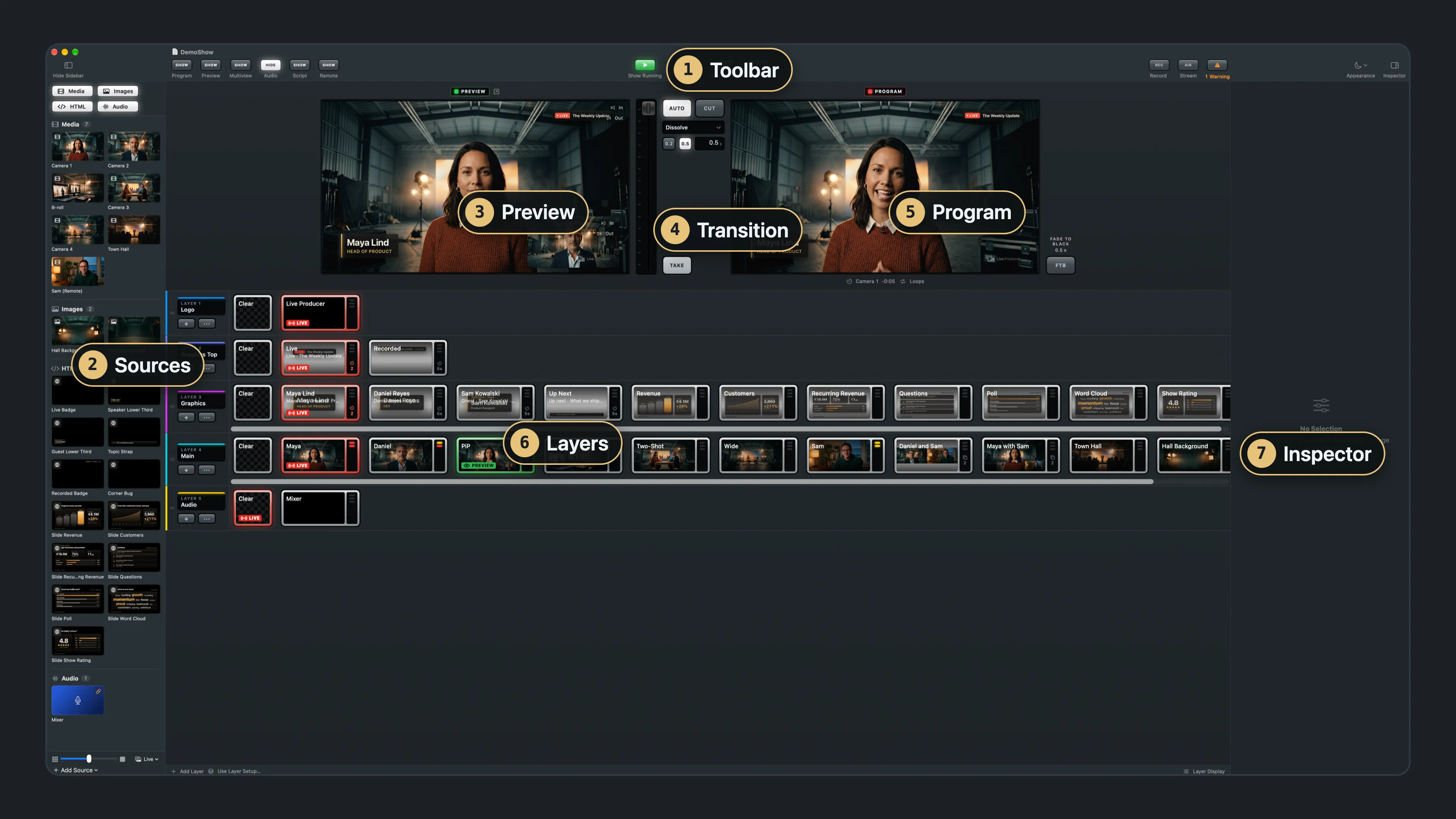
This section first walks through the windows, then explains what the Studio works with, then shows how to do the everyday things.
In this section
Section titled “In this section”What is where
What it works with
How to
Describes Live Producer 0.330 · 10 November 2026