
The web app: shows prepared together, people and roles, files, live status and your account.
The Live Producer Platform is the web app where a show starts and where people prepare it together. You import the script, write it together, collect the files and publish a version. Live Producer Studio, the Mac app, follows the published version and runs the show.
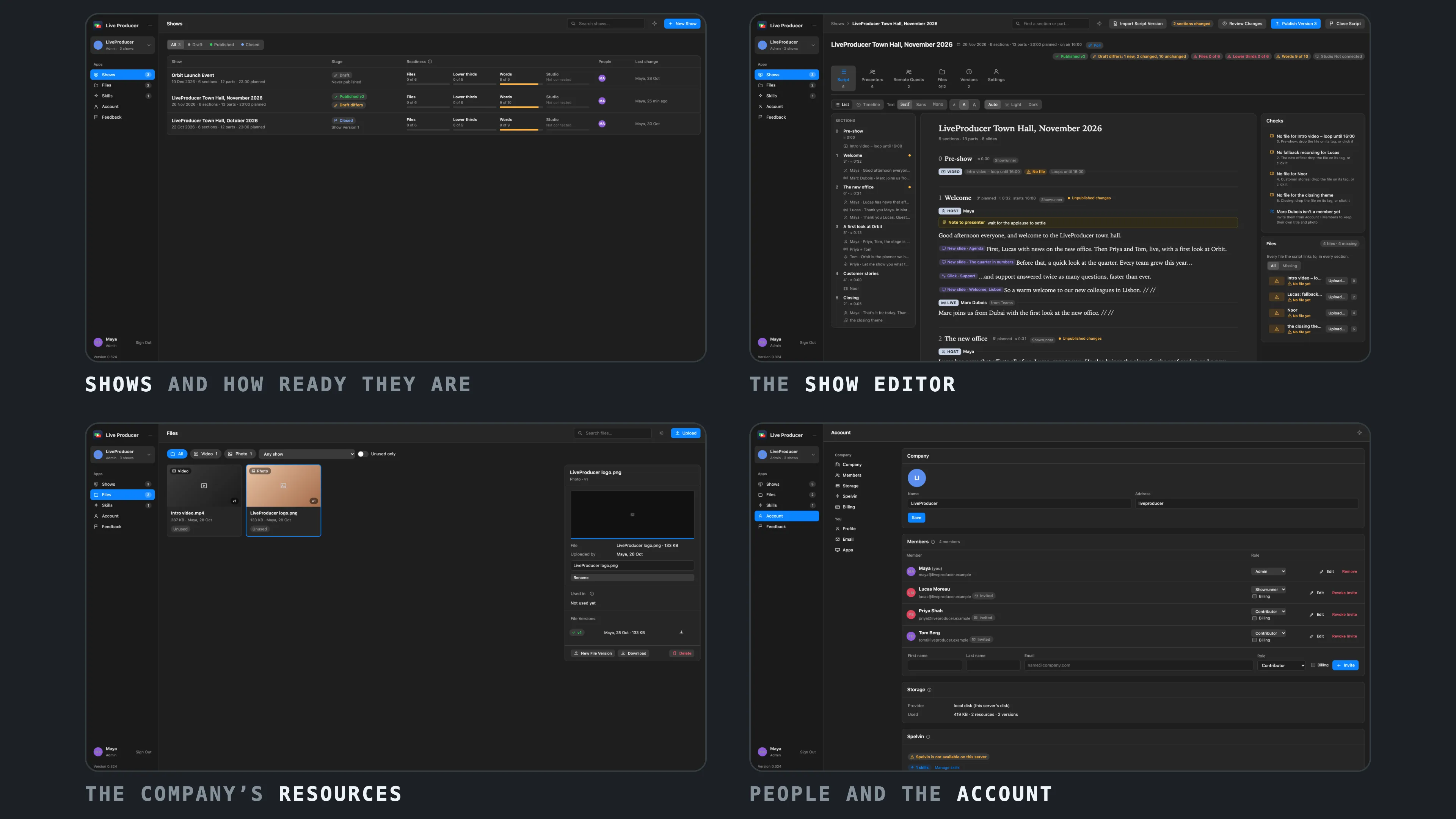
Down the left side of every page is the rail: your company, the apps Shows, Files, Skills and Spelvin, and Account. Skills shows only for admins and showrunners.
In this section
Section titled “In this section”- Shows page: every show of the company and its readiness.
- Show editor: the script, presenters, files, versions and settings of one show.
- Account page: the company, its members, Spelvin and your profile.
- People and roles: who can do what.
- Script editor: the show as one script, written together, its structure as tags.
- Files: the company’s files, in versions.
- Plans and billing: what a plan includes, who pays and how.
- Create a web show
- Write the script together
- Insert a tag
- Upload a file on its tag
- Invite people
- Publish a version
- Close the script
- Upload a file
- Choose a plan
- Set the billing details
- Change or cancel the plan
- Download an invoice
Describes Live Producer 0.330 · 10 November 2026