
Clean up a microphone's noise and a big room's echo in the Studio, bring a presenter's lower third along with their camera, manage every show from the Show Manager, and tell us what you think from the Help menu.
New and improved
Section titled “New and improved”Clean sound from every microphone
Section titled “Clean sound from every microphone”Each source’s sound can now go through processing steps before it reaches the buses, so a noisy lavalier or an echoing hall sounds clean on air without an outboard rack.
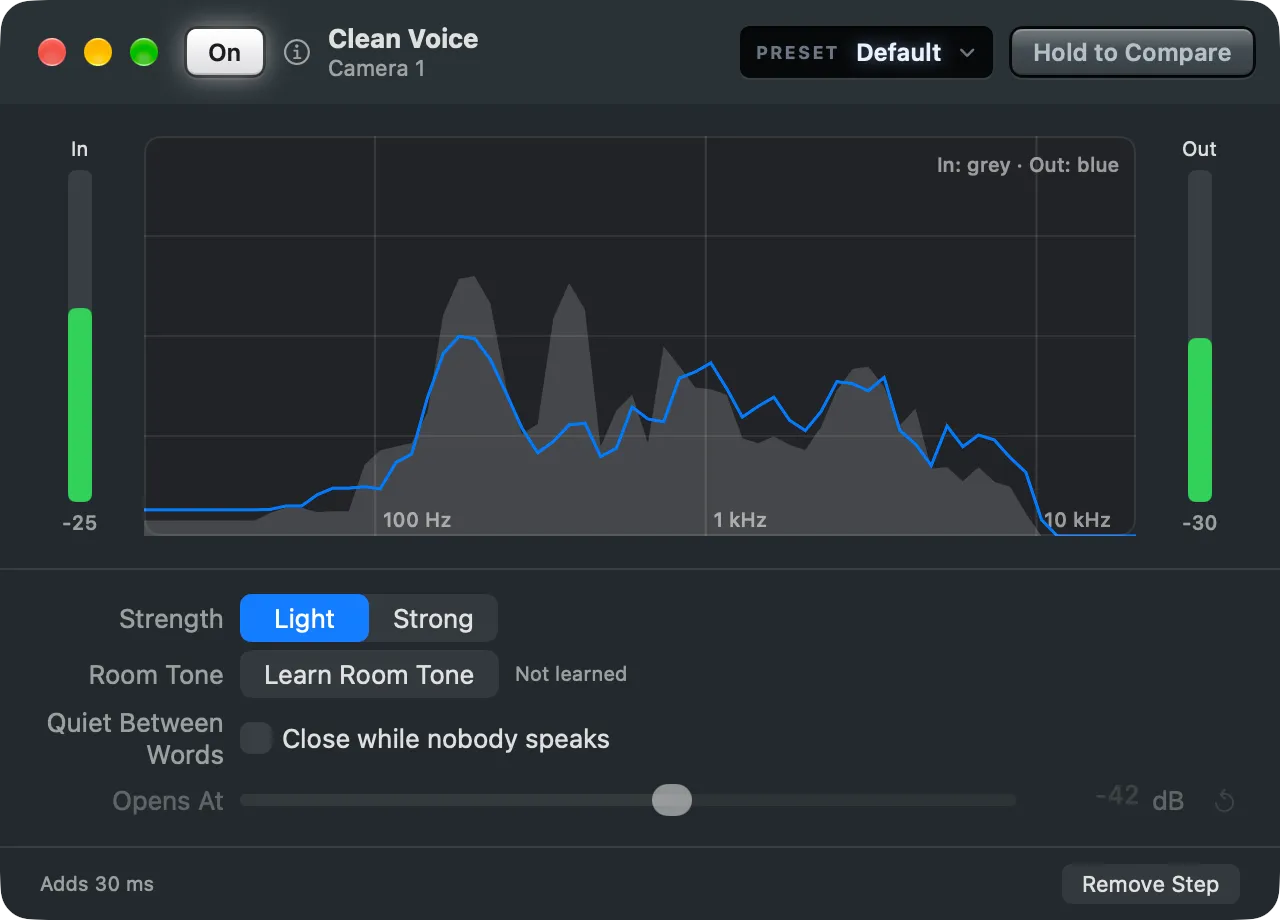
- Clean Voice takes fans, hum and street noise away from around a voice. See Clean Voice and Clean up a microphone.
- Room Reduction takes a big room’s echo out of a voice, after the Studio has listened to the room. See Room Reduction.
- An Equalizer, a Compressor and your own Audio Units join them, each in a window with the live sound and Hold to Compare. See Step windows.
- Start a source from a preset such as Lav Mic, and keep a venue’s room and steps for the next show there. See Start a source from a preset and Venues.
- The picture waits for the processed sound, so lips and words stay together, and a PA bus can hear the sources before processing. See Processing.
A presenter and their lower third with one press
Section titled “A presenter and their lower third with one press”A shot can bring other shots along: press a presenter’s camera with them, and their lower third comes too. You still choose at each press whether it comes.
- Every shot tile has a tab: click the picture for the shot alone, the tab for the shot with what it brings along. See Bring shots along.
- On a Stream Deck, press for the shot alone and hold for the shot with its shots. See Held keys.
- The tab also shows the Auto Out countdown and how many elements a shot holds. See The tab.
- A lower third’s or a logo’s tile and Stream Deck key zoom in on the graphic, so you can read it at a glance. See Graphics on their tiles.
- Layer strips go up to 120 points, with a fifth size, Huge, for a large screen.
Every show in the Show Manager
Section titled “Every show in the Show Manager”The Shows window is now the Show Manager, where every show is made, opened and closed.
- File › Close Show (⇧⌘W) closes the show and brings the Show Manager back. See Show Manager.
- Closing, replacing or quitting a show that is live asks first, then stops its streams and finishes its recordings. See Closing a live show.
- The web tab is now On liveproducer.ai, with the account you are signed in to.
A wider inspector
Section titled “A wider inspector”Drag the inspector’s edge to make it as wide as 600 points. Its rows line up on one grid, and ↑ and ↓ change a number by one step, with ⇧ by ten. See The inspector.
Send Feedback
Section titled “Send Feedback”Tell us what breaks and what you miss with Help › Send Feedback… in the Studio or Feedback on the web. Spelvin files it, tells you when it is already known, and you see what came of it. During the beta, feedback that is taken up earns points. See Feedback and Send feedback.
More info
Section titled “More info”Describes Live Producer 0.330 · 10 November 2026