
Two versions of the script side by side, on the web before you publish and in the Studio when a version lands, with Spelvin's suggestions for the shots it needs.
New and improved
Section titled “New and improved”See what a version changes, side by side
Section titled “See what a version changes, side by side”Before you publish, Review Changes puts the last published version and the draft next to each other, section by section: struck words are gone, highlighted words are new, and a tag’s chip says when it was added, removed, changed or moved. Sections and parts are matched by what they are, so a reworded direction is still one part, a part moved to another section says where it went, and a section that only got a new number says Renumbered. The Versions tab compares any two versions the same way. See Review a new version.
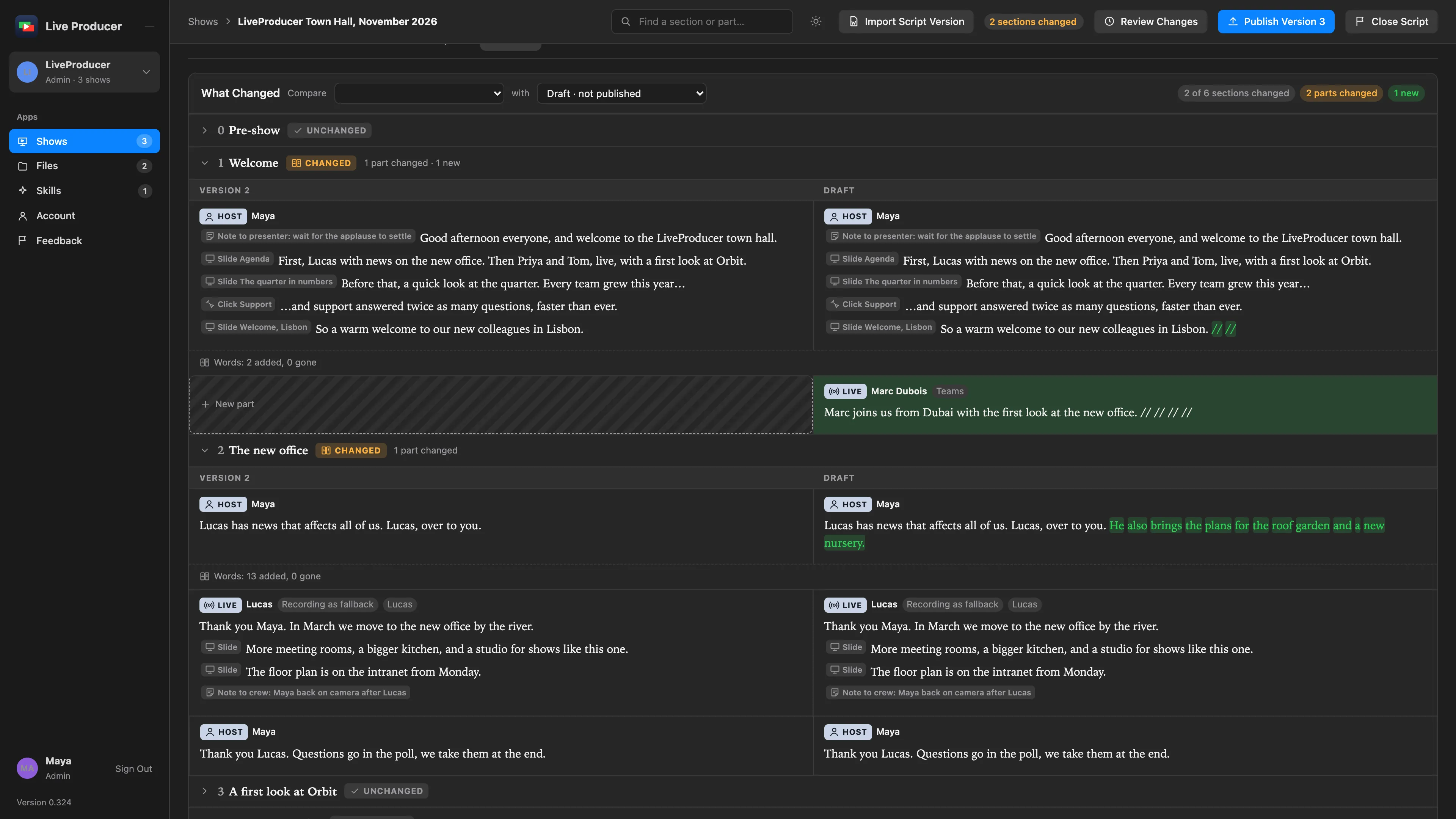
The Studio shows the same, and what it needs
Section titled “The Studio shows the same, and what it needs”When a version lands on the Mac, the web bar says what it brought and Show Changes opens the What Changed window: the same comparison, drawn with the same tags, read-only. Under it the Studio lists what the version needs here: a live guest without a source, a presenter without a lower third, a clip whose file is not here, a clip no part uses any more. Ask Spelvin turns that into rows marked Add, Change or Remove, each with why, each applied or skipped by you. A removal is confirmed one by one and never offered for what is on the program. With Follow the Web Show off, Pull Version opens the window before anything comes in.
More info
Section titled “More info”- What changed in a version: how the two versions are matched and what the marks mean.
- Published versions: what a version replaces and keeps.
Describes Live Producer 0.330 · 10 November 2026