
Tell us what breaks and what you miss, from the Studio or the web: Spelvin files it, says when it is already in, and you see what came of it.
Feedback is how you tell the people who make Live Producer that something does not work, or that you would like something new. You send it from the Studio while you work, even on air, or from the web. Spelvin files it under the part of Live Producer it is about, tells you at once when someone already sent the same, and you follow on the web what came of it.
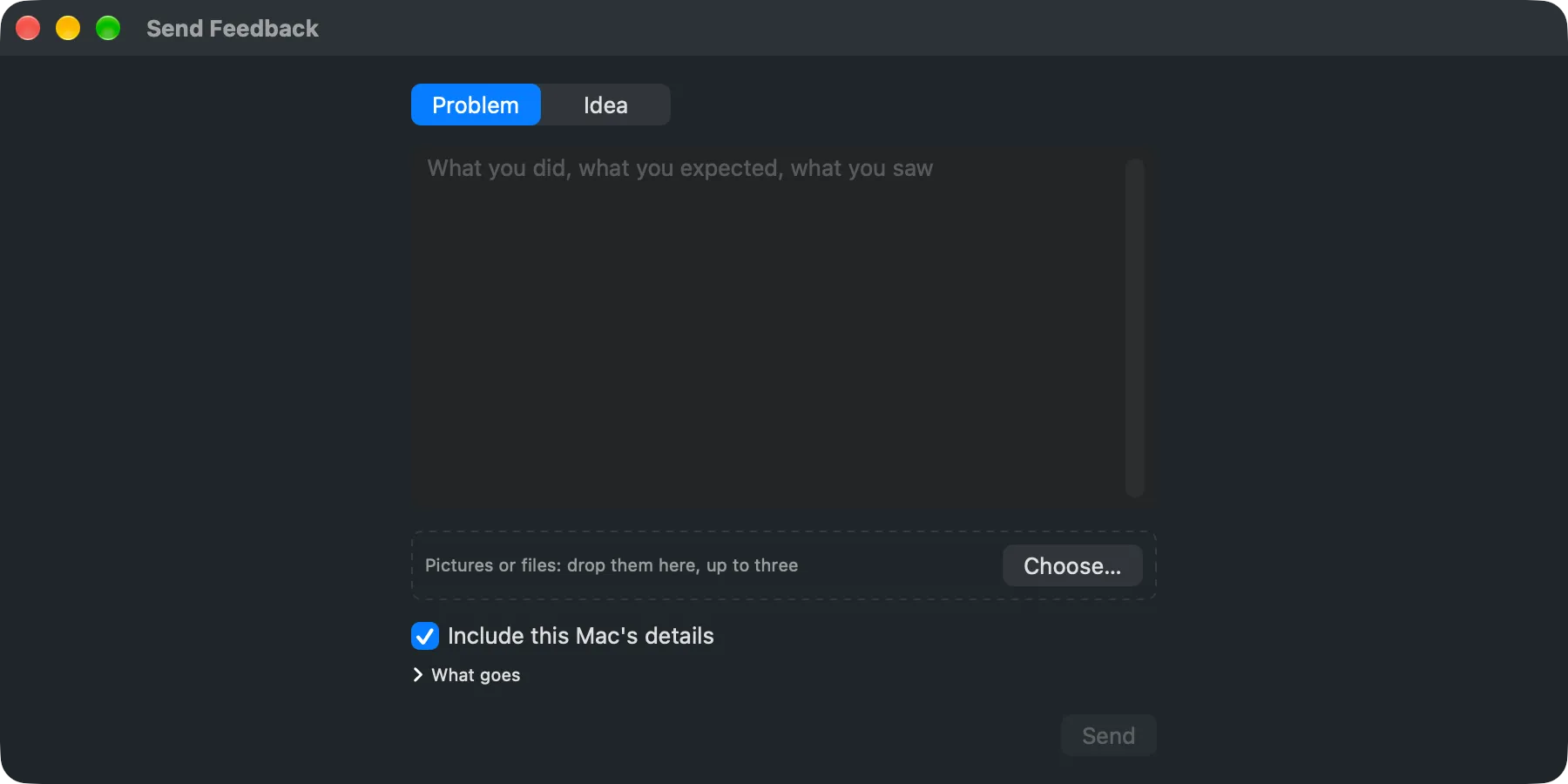
A problem or an idea
Section titled “A problem or an idea”Every piece of feedback is one of two kinds:
| Kind | For |
|---|---|
| Problem | Something that does not work: what you did, what you expected, what you saw. |
| Idea | Something new you would like, and what it is for. |
You can add up to three pictures or files of 10 MB each, such as a screenshot. Only the Live Producer team sees them; they never appear on the public list.
Where you send it
Section titled “Where you send it”- In the Studio: Help › Send Feedback… opens a small window that floats above the others. It never blocks the switcher, so you can write while the show runs and send later.
- On the web: Feedback in the rail opens your Feedback page, with Send Feedback… at the top.
You need to be signed in, in the Studio or on the web, so the answer reaches you. You can send ten a day.
This Mac’s details
Section titled “This Mac’s details”From the Studio, Include this Mac’s details is on unless you turn it off. It sends what helps us find a problem, and What goes lists it before you send:
- the Studio’s version and the platform’s
- the macOS version, the Mac’s model and its memory
- the open show’s frame rate
- the last ten warnings and errors from the Warnings window
Nothing else about the show, its sources or its files goes with it.
What Spelvin answers
Section titled “What Spelvin answers”Spelvin reads what you wrote, files it under one to three parts of Live Producer, and writes a short title and summary without names. The answer shows in the window at once:
| Answer | Means |
|---|---|
| Filed as a problem under part (or an idea) | It is new. It counts once it is reviewed. |
| Already in: title | Someone sent the same. You are added to it; Add Detail sends what you noticed that is new: steps, a device, a version. |
| Fixed already in version | It was fixed in a newer version. Update the Studio to get it. |
| You sent this one before | What you wrote is added to your earlier one. |
| Sent. Spelvin could not file it just now | Nothing is lost; it is filed by hand. |
Joining an item that is already in is a Me Too. You can also do it from the public list.
What happens next
Section titled “What happens next”Every item has one state:
| State | Means |
|---|---|
| New | Filed, not yet reviewed. Not on the public list yet. |
| Already in | The same as an item that exists; your report joins it. |
| Accepted | Taken up. |
| Done | Fixed or built, with the version it came in. |
| Declined | Not taken up, with a one-line reason. |
You get a mail when your report is taken up, when it is declined (with the reason), and when its item is done (with the version). Your Feedback page shows the same under What you sent: each report, what it was filed as, its state and its points.
The public list
Section titled “The public list”Anyone can read what was taken up, without signing in: See All Feedback on your Feedback page, or Feedback at the foot of liveproducer.ai. Each item shows its kind, its state, its parts, Spelvin’s summary, how many people sent it and the versions it came in and went out in. It never shows a name, anyone’s own words or a picture. Filter by kind, part and state. Signed in, Me Too adds you to an item, with new detail if you have it.
Points during the beta
Section titled “Points during the beta”During the beta, every report that is taken up earns points for the beta tester who sent it:
| Report | Points |
|---|---|
| A problem | 3 |
| An idea | 2 |
| New detail on one that is already in | 1 |
| A Me Too without detail, or one declined | 0 |
The points count once the report is reviewed. Your standing on your Feedback page shows your points and your place, such as 7th of 42; in the Studio, Settings › Account › The Beta › Your Standing and the foot of the Send Feedback window show the same. You see only your own; names stay private. When the beta ends, the ten beta testers with the most points get a year of Team or Business, their choice, on a company they name. Feedback goes on after the beta; only the points stop.
Read more
Section titled “Read more”Describes Live Producer 0.330 · 10 November 2026