
Connect Claude, ChatGPT, Claude Code or Cursor to your account and ask it in your own words. It writes the script, brings the files and prepares the Studio as you, and every change carries your name and the app's.
New and improved
Section titled “New and improved”Connected AI
Section titled “Connected AI”The AI you already use now works with your shows. Connect it to your account once, and ask it in the chat where your notes already are: where the town hall stands, to put your talk track in your section, to give the product part to Priya and invite her, to publish. It does what you could do yourself on the web, in the company you chose and with your role there, and every change says who made it and through which app. Your AI’s own subscription does the thinking, so none of it counts against your company’s Spelvin actions, unless you ask it to hand a text to Spelvin.
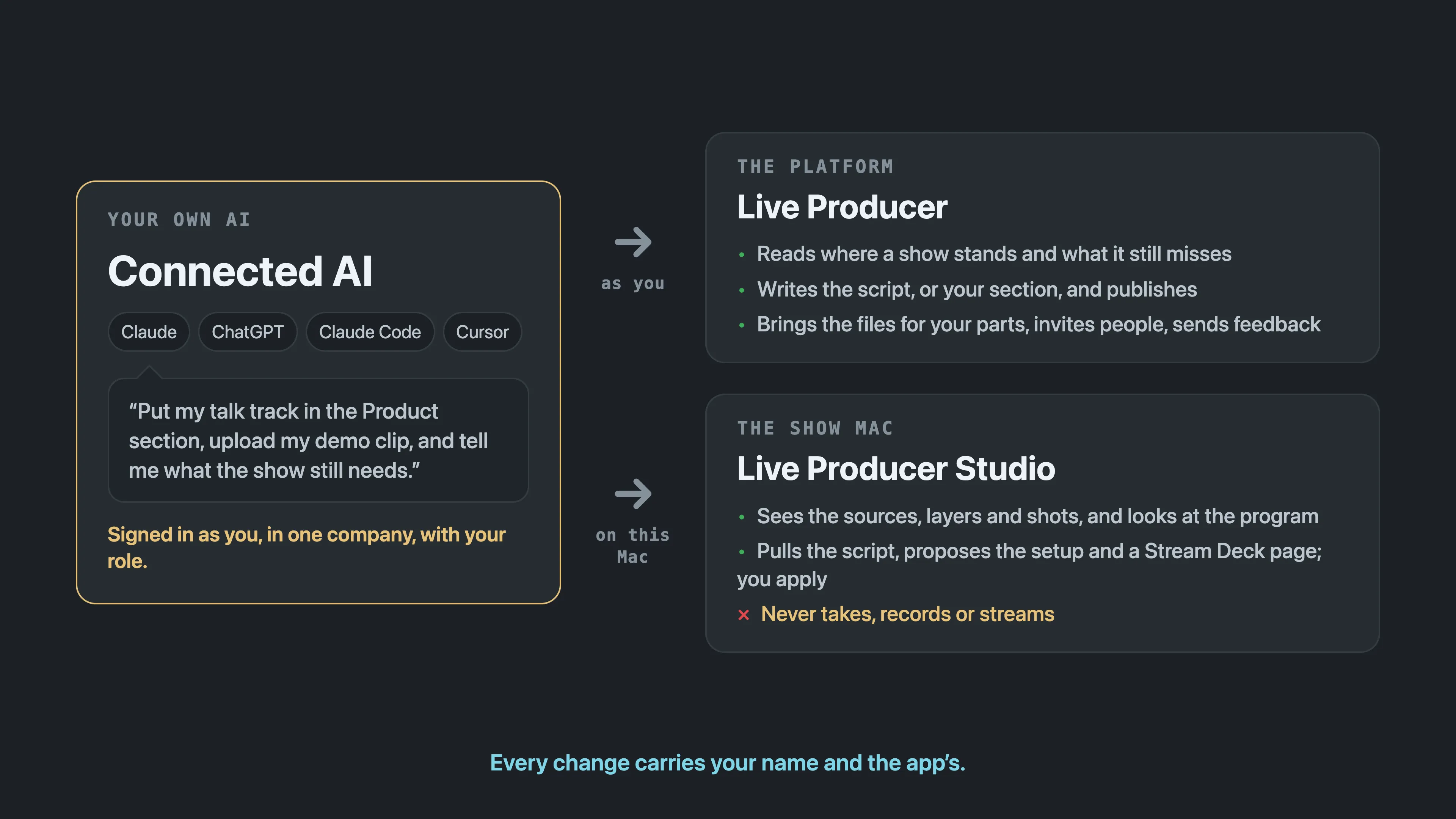
- Claude, ChatGPT, Claude Code and Cursor connect with one address and sign in the way you do. See Connect your AI.
- On the consent screen you pick the company and tick what the app may do; a read-only connection is one tick. See Connected AI.
- Account › Connected AI lists every connected app with its company, what it may do and when it last worked, each with Revoke. See Account page.
- On the show Mac, Claude Code or Cursor sees the open show, pulls the script, puts a shot in preview and proposes the setup and a Stream Deck page for you to apply in the Spelvin window. Taking, recording and streaming stay yours. See Connect your AI to the Studio.
Contributors bring the files for their own parts
Section titled “Contributors bring the files for their own parts”A contributor uploads the recording or video for a part in the sections they edit, on its tag, in the Files card or through their AI, and nobody else’s. The showrunner no longer collects the clips by mail. See Upload a file on its tag.
Script tags in a script file
Section titled “Script tags in a script file”A script file, and a script your AI writes, carries the shots, lower thirds, graphics, sounds and interactions as lines in brackets, so a script written outside the platform arrives with its marks. See Script structure.
More info
Section titled “More info”Describes Live Producer 0.330 · 10 November 2026