
Type // for a part, a slide click, a cue or a note, @ for a person; click a tag to change it; drop a file on the tag that plays it.
New and improved
Section titled “New and improved”Tags from the keyboard
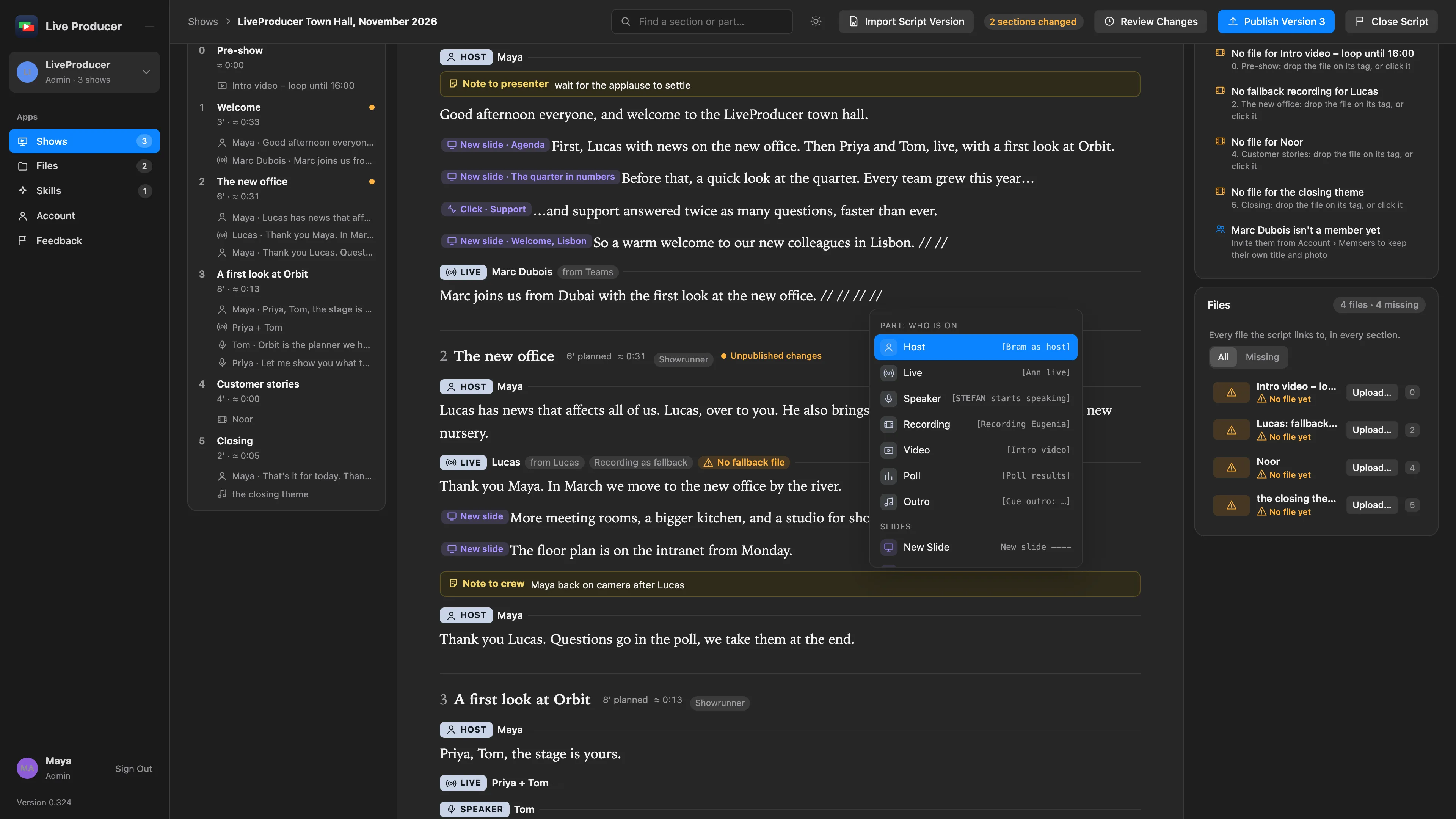
Section titled “Tags from the keyboard”In the script editor, // opens a menu of everything a script can hold: a part (who is on,
and how), a new slide or a click, a cue at the word you are on (a shot, a lower third, a
graphic, a sound, an interaction) and a note for the operator, the presenter or the crew. @
names a person. The old way still works: type [Ann live, recording as fallback] or a line
New slide ---- Agenda, and it becomes its tag; paste a whole script and every line is read.
Click any tag to change its fields, or to remove it. See
Insert a tag.
Files on their tag
Section titled “Files on their tag”A recording, a video, the outro’s music, a live part’s fallback recording, a graphic or a sound takes its file right on its tag: drop it there, or choose it in the tag’s fields. Until then the tag says No File. The Media card lists every file the script links to, and what is still missing; a contributor sees the files of their own sections. See Upload a file on its tag.
More info
Section titled “More info”- Script editor: what the editor is and how the tags become the rundown.
- Write the script together.
Describes Live Producer 0.330 · 10 November 2026