
The toolbars of Audio Routing, Preview, Script, the Show Manager and every other window now use the console's own keys and displays, so the whole Studio reads as one control surface.
New and improved
Section titled “New and improved”Toolbars in the console’s keys and displays
Section titled “Toolbars in the console’s keys and displays”Every window now has the same kind of toolbar as the main window, so you read a key the same way wherever it is. Nothing floats on glass any more, and no control leaves a faint shape behind a slider.
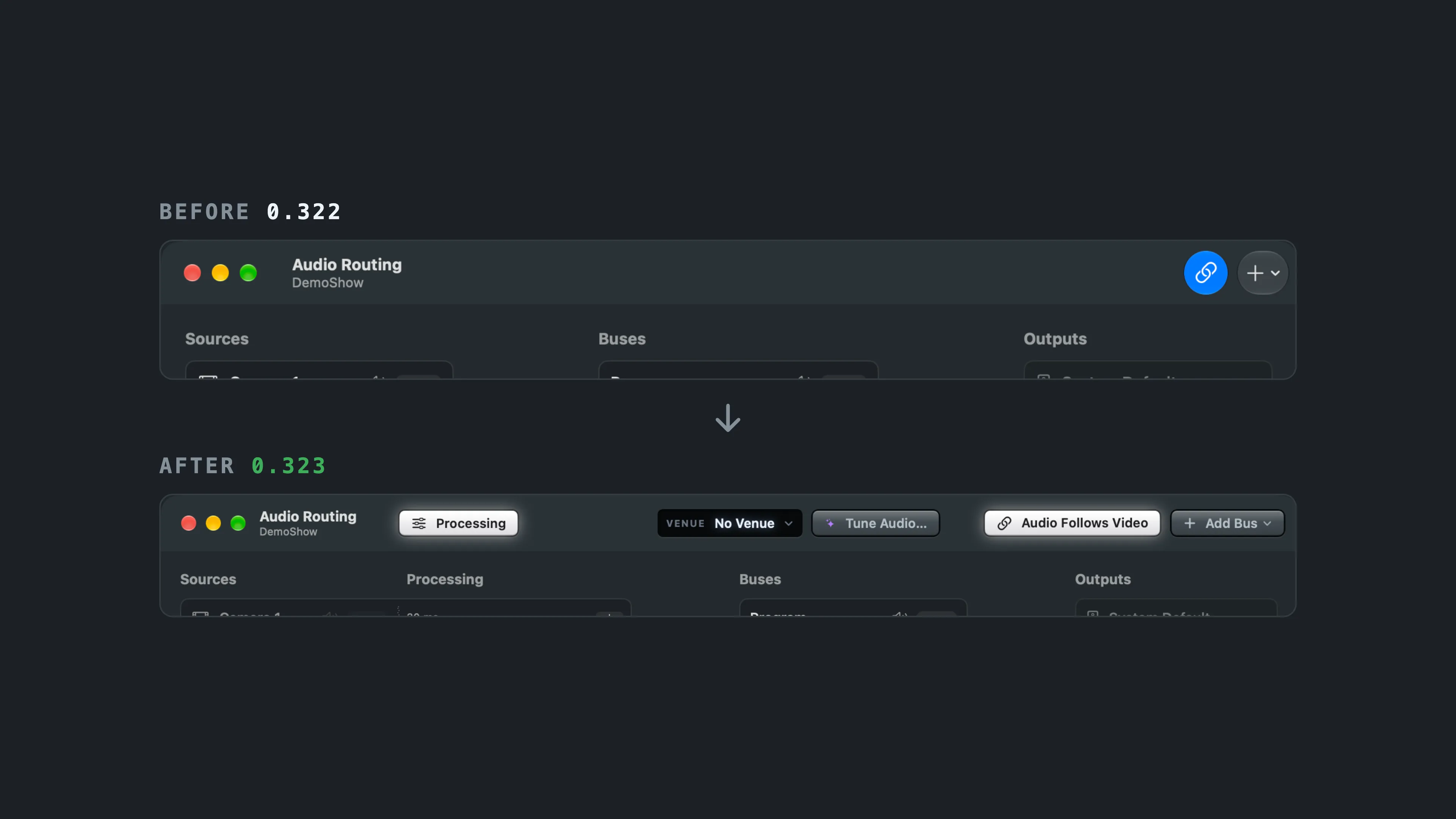
- A key that is on lights white, and a key you hold, such as Hold to Compare, lights amber while you hold it. See Windows.
- A choice between a few options is a row of keys with a lamp above the chosen one.
- A value such as the venue or a preset reads on a small dark display, as the clock does. Searches are typed on a display too.
- The main window’s keys stand evenly apart, and Hide Sidebar is drawn like the other window controls. See Main window.
- The Remote Guests window, the Stream Deck Layout window and the source type filters in the sidebar use the same keys.
- Audio Routing, Script, Warnings and Spelvin open a little wider, so every key fits with its words.
More info
Section titled “More info”Describes Live Producer 0.330 · 10 November 2026