
See which sections changed since the last version, then publish the draft as the version the Studio follows.
The team writes in the show’s draft; the Studio follows only published versions. Publishing makes the draft the show’s next version, so what the team wrote reaches the Mac that runs the show. To read how versions work, see Published versions.
Before you start
Section titled “Before you start”- You edit the script: an admin, a showrunner, or the editor of a section. A version is always the whole script, with everyone’s changes, not only yours.
- The script is not closed. A closed script publishes nothing until the showrunner reopens it; see Close the script.
- The draft has changes: the show’s header says Draft differs and what changed, and Publish Version N says how many sections changed.
Step 1: See which sections changed
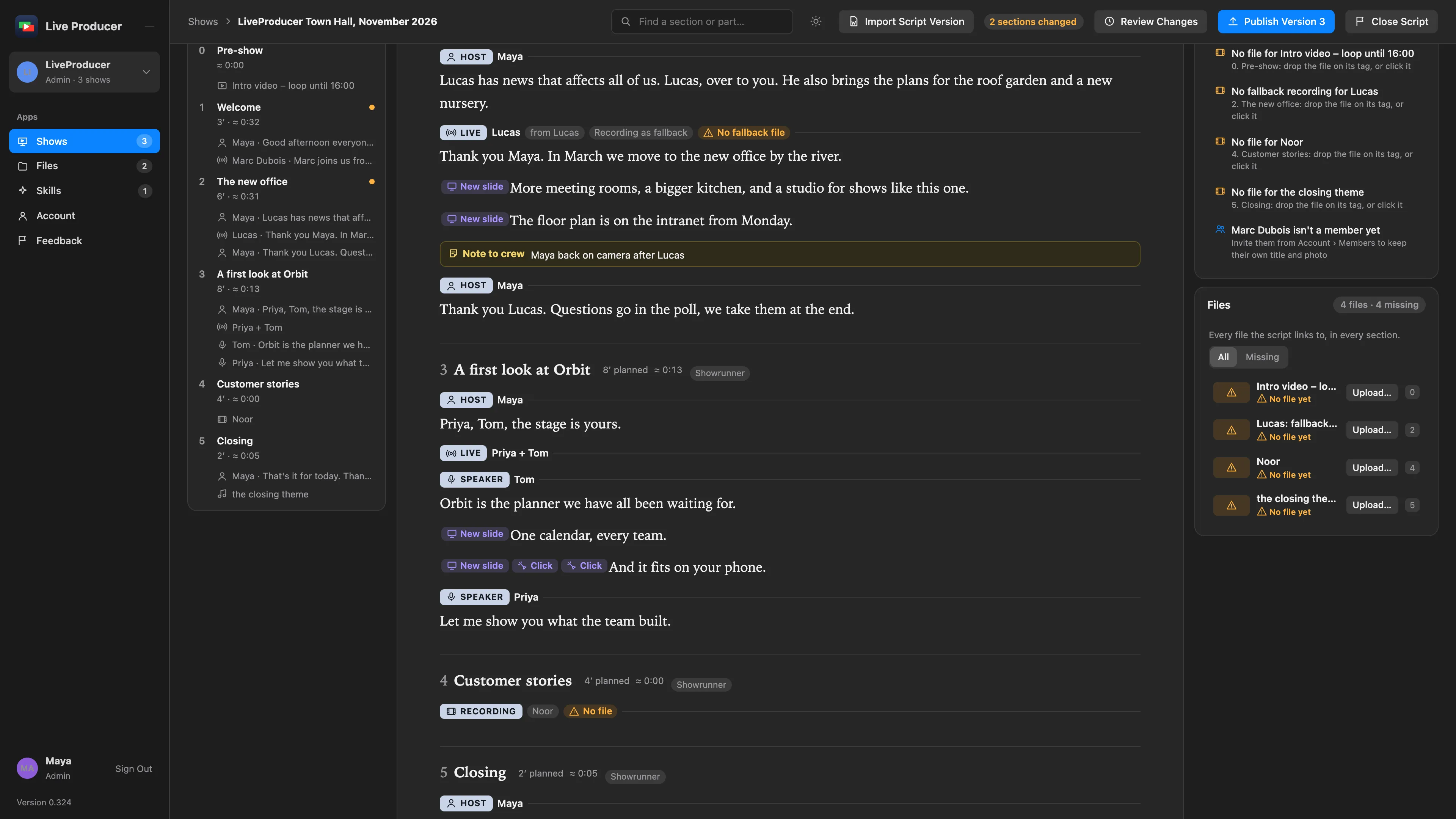
Section titled “Step 1: See which sections changed”In the script, a section whose words or tags differ from the last published version says Unpublished changes in its head, and its row in the outline carries a dot. The others are as the Studio already has them. Read the changed sections once more; see Script editor.
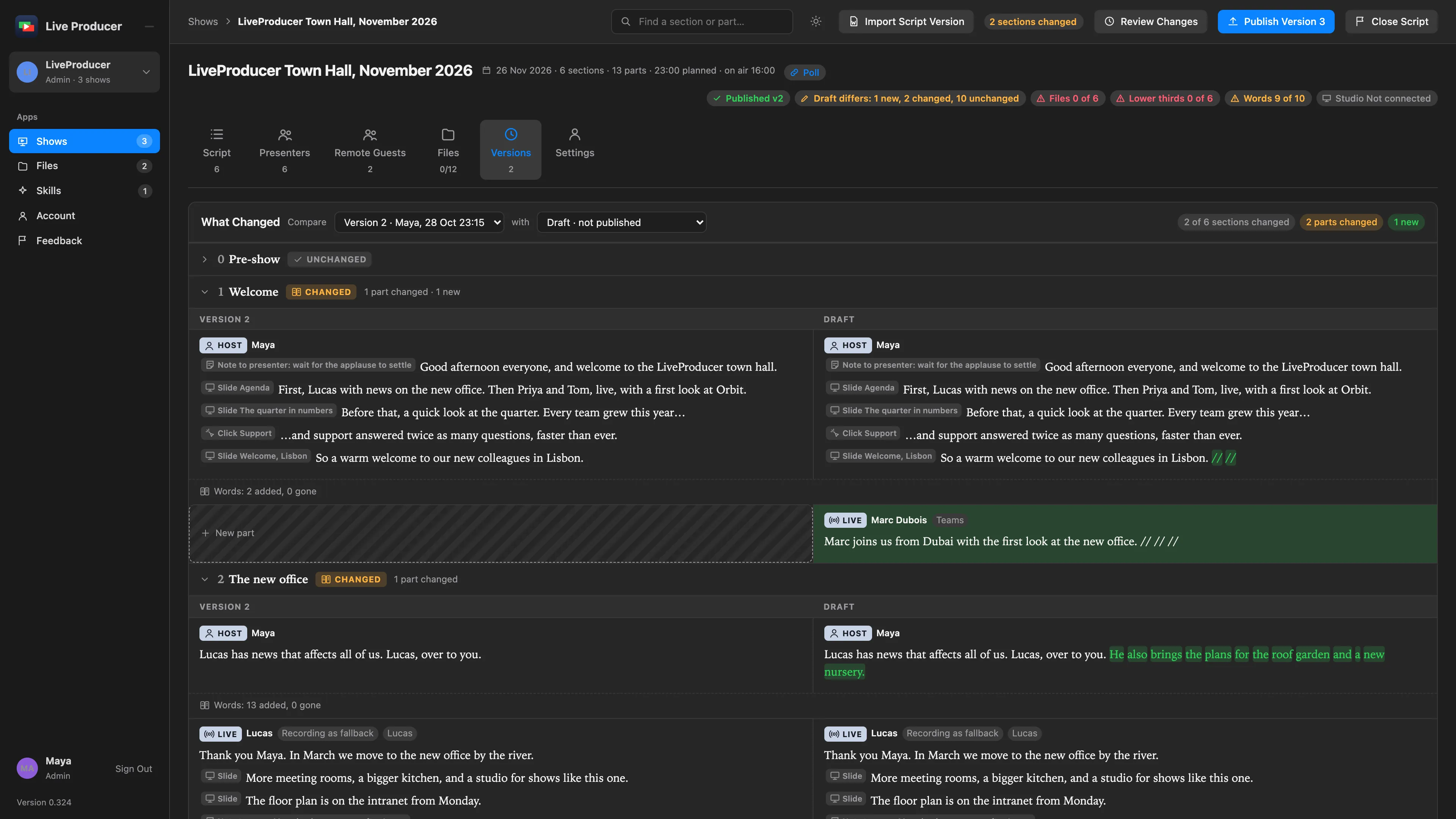
The Versions tab lists the same: its top row, Draft, says what nobody published yet, above the published versions.
Step 2: Publish
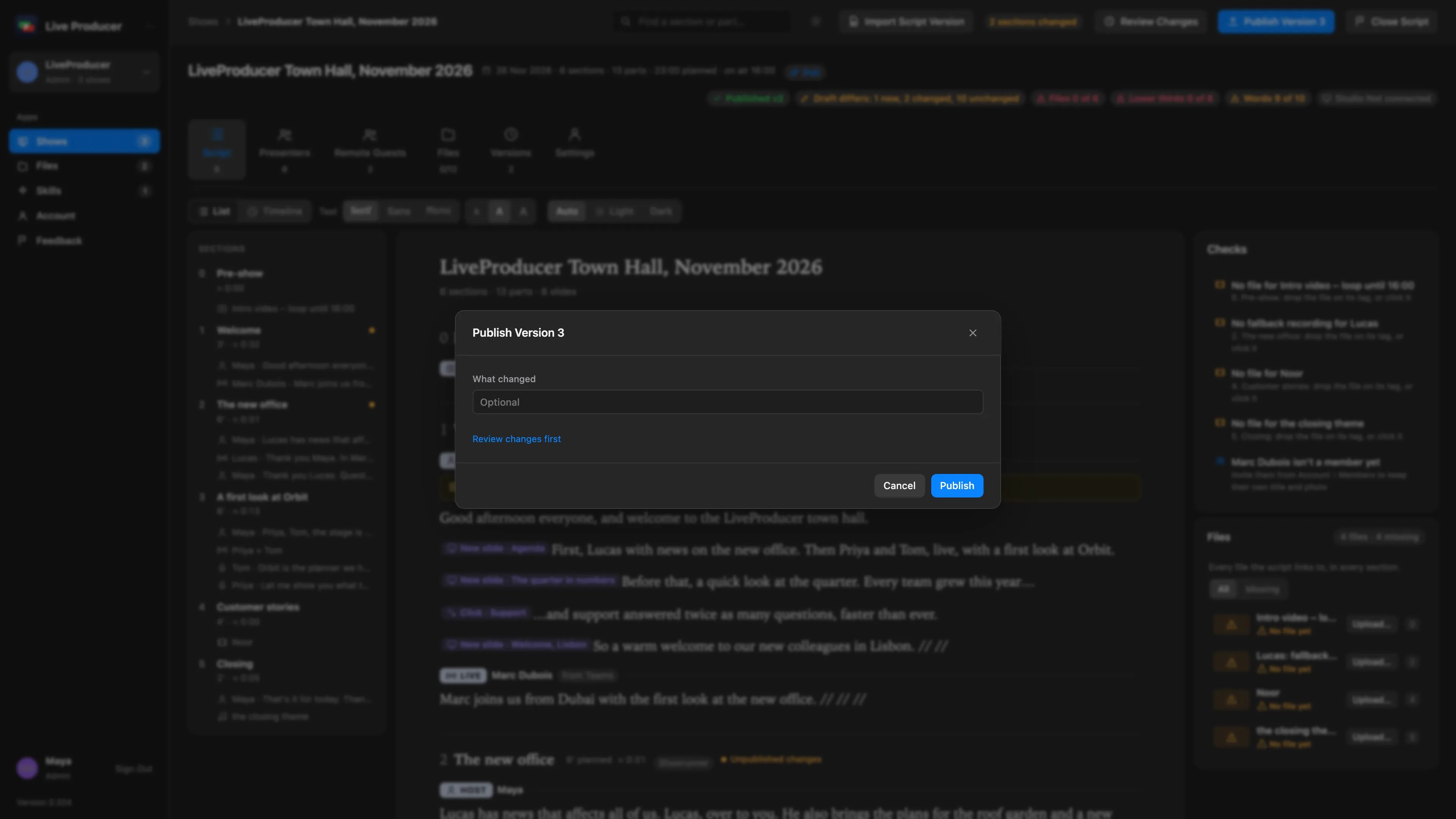
Section titled “Step 2: Publish”To see the two versions side by side first, click Review Changes; see Review a new version. Then click Publish Version N at the top right. Type a note under What changed if you like; it is optional. Click Publish.
Publishing first takes in the latest words of everyone who is typing, so nothing someone wrote a moment ago is left out, then makes the version from the whole script. The Unpublished changes chips go, and the count on the button with them.
Step 3: Let the Studio take it
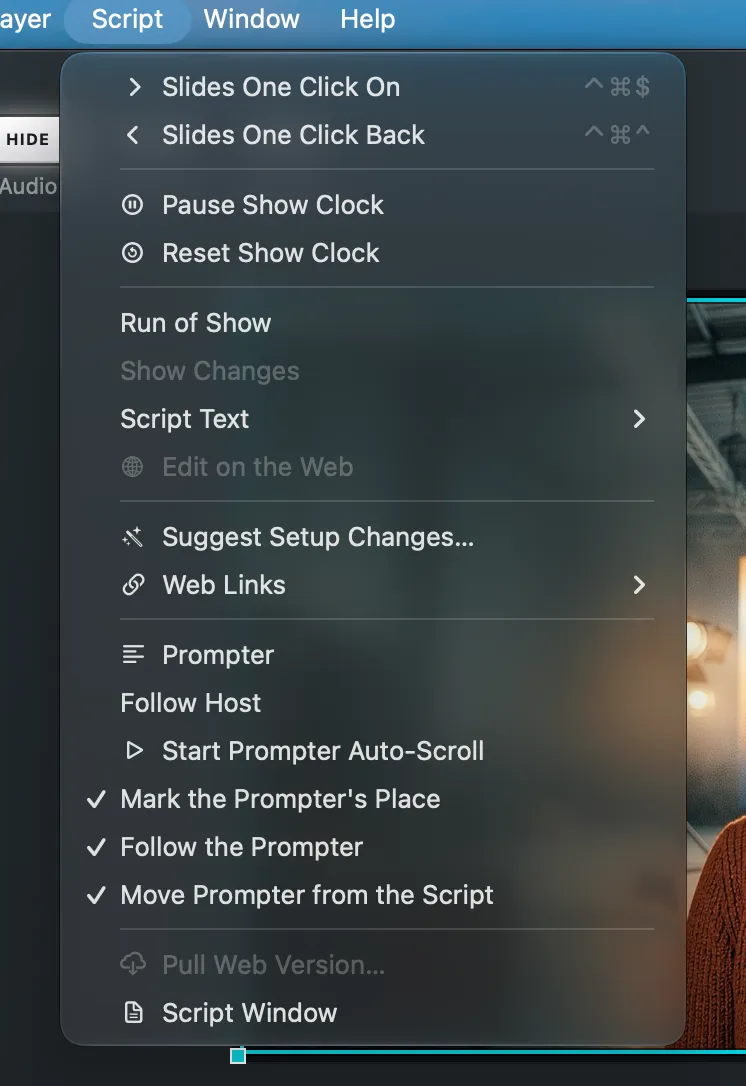
Section titled “Step 3: Let the Studio take it”A Mac with the show’s script sees the new version: its Script window’s web show bar offers Pull Version N…, and so does the Script menu. The operator pulls it when they choose; the script comes in with what changed marked, and nothing on the switcher or the program changes. See Update a script.
Verify
Section titled “Verify”- No section says Unpublished changes, and the outline has no dots.
- The show’s stage on the Shows page is Published vN.
- On the Versions tab, the new version lists the Macs that pulled it.
- The App meter says Linked, vN pulled.
Related
Section titled “Related”Describes Live Producer 0.330 · 10 November 2026