
Publish the script one last time and make it read-only for everyone, then reopen it if something still has to change.
Close the script when it is final, so nobody changes it under the operator, and reopen it if something still has to change. See Published versions.
Before you start
Section titled “Before you start”- You are an admin or a showrunner of the show.
- Everyone has finished writing: closing takes in the words that are being typed, then stops all writing.
Step 1: Close it
Section titled “Step 1: Close it”Open the show and click Close Script at the top of the page. The dialog says what it does; click Close Script again. When the draft differs from the last published version, it is published as the final Show Version.
Step 2: Check the banner
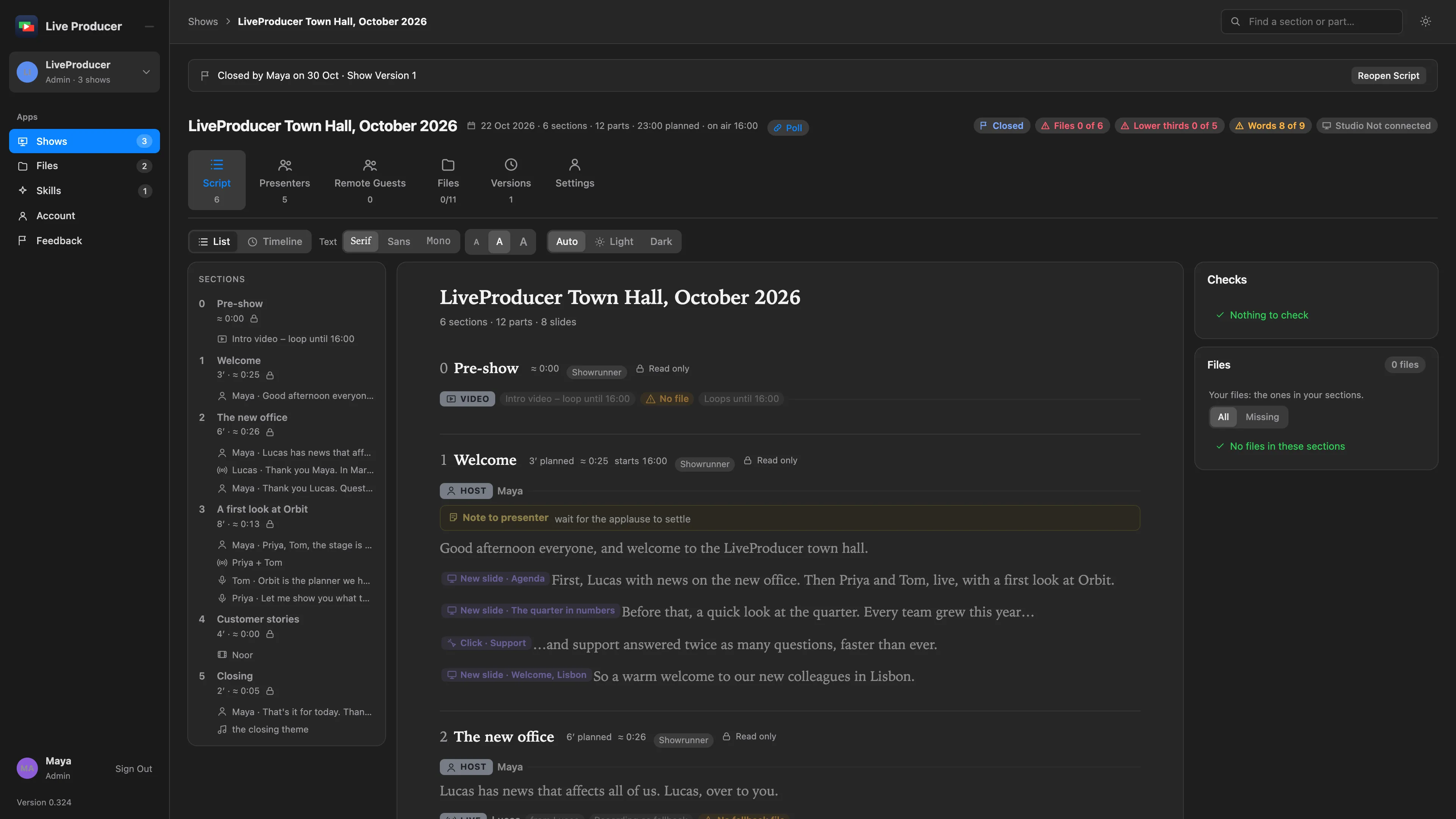
Section titled “Step 2: Check the banner”A banner at the top says Closed by your name, the date and the Show Version the script ended on. Every open page of the show switches to read-only: nobody can type, add a tag or publish. The Shows page lists the show as Closed.
Step 3: Reopen it if needed
Section titled “Step 3: Reopen it if needed”Click Reopen Script in the banner. Everyone gets their rights back: the showrunners and the section editors write again, and the next publish makes a new version.
Verify
Section titled “Verify”- The banner shows who closed the script and its final Show Version.
- On the Shows page the show’s stage is Closed.
- The Studio’s Script window offers that version to pull, as any published version.
Related
Section titled “Related”Describes Live Producer 0.330 · 10 November 2026