
Live Producer is a remote MCP server for the AI you already use. Connect Claude, ChatGPT, Claude Code or Cursor to your account and it writes the script, brings the files and prepares the Studio as you, with your role, and every change carries your name and the app's.
Connected AI brings Live Producer to the AI you already use. You connect Claude, ChatGPT, Claude Code or Cursor to your account once, and from then on you ask it in your own words: where a show stands, to put your words in your section, to upload your clip, to set the Studio up for Thursday. It does what you could do yourself, as you, and every change it makes carries your name and the app’s.
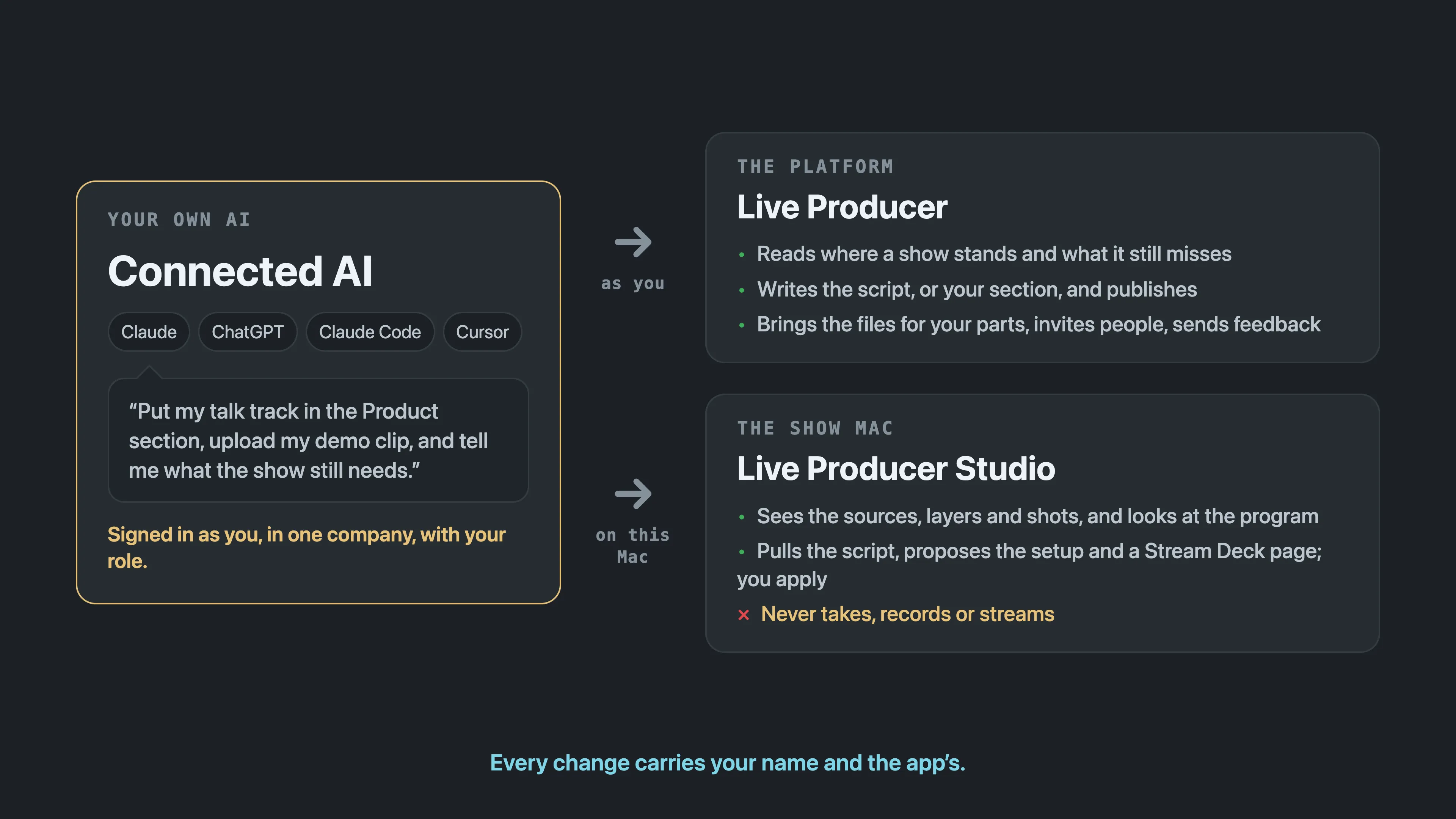
Two places listen. Live Producer, the platform, is where the show is written: your AI reads and writes the script, brings files, invites people and sends feedback, with your role in the company you chose. Live Producer Studio, the Mac, is where the show is run: an AI tool on that Mac sees the sources, layers and shots, pulls the script and proposes the setup; taking, recording and streaming stay in the operator’s hands.
In the words of the AI apps, Live Producer is a remote MCP server: it speaks the Model Context Protocol over HTTPS, signs you in with OAuth the way the web does, and tells the app which of its tools only read. Claude adds it as a custom connector, ChatGPT as a connector in Developer mode, Claude Code with one command, Cursor in its MCP settings, and any other MCP client that takes a remote server over HTTP works the same way. The Studio on the show Mac is a second, local MCP server, for the tool on that Mac.
In this section
Section titled “In this section”- Connected AI: what a connected app may do, why it works as you, and how to end it.
- Connect your AI: Claude, ChatGPT, Claude Code or Cursor on the platform.
- Connect your AI to the Studio: Claude Code or Cursor on the show Mac.
- Connected AI tools: every tool, what it takes and who may use it.
Common questions
Section titled “Common questions”Does Live Producer have an MCP server? Two. The platform’s, at
https://platform.liveproducer.ai/mcp, for any AI app that takes a remote MCP server with a
sign-in; and the Studio’s, on the show Mac, for Claude Code or Cursor on that Mac.
Connected AI tools lists every tool of both.
Which AI apps work with it? Claude on the web and in the desktop app, ChatGPT with Developer mode on, Claude Code, Cursor, and any MCP client that connects to a remote server over HTTP. Connect your AI has the steps for each.
Can my AI run the show? No. On the Mac it sees and prepares: the state of the show, a picture of the program, a shot in preview, the script pulled, a setup or a Stream Deck page proposed for you to apply. Take, record, stream, the prompter and the keys stay in the operator’s hands.
What does it cost? Nothing in Live Producer: your AI’s own subscription does the thinking, and Connected AI is on every plan. The one exception is asking Spelvin to read a text, which costs the same Spelvin actions as on the web.
What can a connected app see and do? What you can, in the company you chose, with your role there and the boxes you ticked on the consent screen; a read-only connection is one tick. Every change carries your name and the app’s, and Account › Connected AI revokes an app at any time.
Is this an API? For an AI, yes: the MCP tools are the way an AI app works with Live Producer. A script or a program that controls the Studio itself uses the Control API instead.
Describes Live Producer 0.330 · 10 November 2026